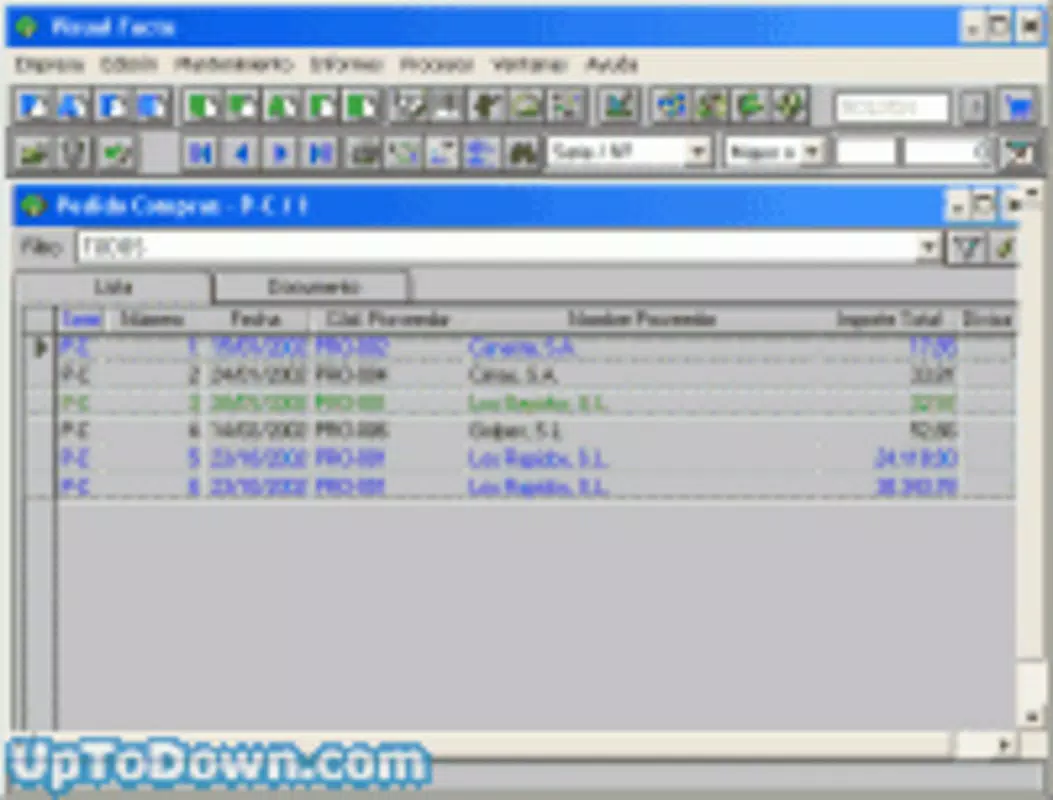

Download Visual Factu – business management, client tracking, financial reporting, inventory tracking, multicurrency support, document creation, productivity tool
Overview
Visual Factu is a productivity-focused mobile application designed to support business owners in managing core operational functions with precision and efficiency. The app offers a comprehensive suite of tools tailored for small to medium-sized enterprises seeking to streamline client interactions, financial oversight, inventory tracking, and document generation. Its primary purpose is to centralize business data, enabling users to maintain accurate records across multiple dimensions, including client profiles, financial performance, and multi-currency transactions. The app is particularly relevant for entrepreneurs and professionals who manage complex workflows involving international clients, diverse product lines, or fluctuating inventory levels.
Visual Factu addresses common pain points such as scattered client data, inconsistent financial tracking, and challenges in generating invoices or reports across different currencies. By consolidating these functions into a single platform, the app reduces administrative overhead and enhances decision-making through real-time access to critical business metrics. It is suitable for freelancers, retail operators, service providers, and small business owners who require a reliable, all-in-one solution without the complexity of enterprise-grade software.
Developed by Visual Factu, the application has been available since 2003, indicating a long-standing presence in the productivity space. Although the developer did not provide additional technical or organizational details, the app’s enduring relevance suggests a stable foundation and consistent functionality. Its focus on core business operations positions it as a practical utility within the mobile productivity ecosystem, especially for users who prioritize accuracy, flexibility, and ease of use in managing daily business tasks.
Key Features & Functionality
- Client Management: Users can store multiple addresses and contact details for each client, improving communication efficiency and ensuring accurate record-keeping. This feature supports businesses with geographically dispersed clients or those requiring detailed contact hierarchies.
- Financial Insights: The app provides tools to analyze gross profit margins at both individual line-item and total document levels. This functionality allows users to monitor profitability trends and make informed pricing or operational decisions.
- Inventory Control: Users can create and manage inventory lists with specific start dates, enabling precise tracking of stock levels and product availability. This supports timely reordering and helps prevent overstocking or stockouts.
- Multicurrency Support: Visual Factu supports multiple currencies and decimal precision, allowing users to generate documents in any currency and handle complex financial transactions across borders.
- Flexible Document Creation: The app enables the creation of customized documents with variable pricing and currency options. Users can add notes and attach files, enhancing documentation accuracy and usability for audits or client submissions.
For example, a small import/export business can use the multicurrency and document creation features to issue invoices in USD, EUR, and JPY while tracking profit margins per product line. A local service provider can maintain detailed client profiles with multiple contact points and generate recurring service reports with embedded financial summaries. These real-world applications demonstrate the app’s adaptability to diverse business models and operational needs.
Interface, UX & Performance
Visual Factu presents a clean, functional interface designed to prioritize usability over visual flair. The layout follows a logical hierarchy, with core modules such as client management, financial reporting, and document creation accessible through a straightforward navigation menu. Users can expect a consistent experience across different screen sizes, though the developer did not specify formal performance metrics or device compatibility details.
Navigating between features is intuitive, with minimal onboarding required. The app’s responsiveness appears adequate for basic operations, though no official benchmarks were provided. Stability is implied by the app’s long-standing availability since 2003, suggesting reliable core functionality over time. However, the developer did not disclose information about background processing, update frequency, or optimization for low-memory devices.
Although the developer did not list formal performance metrics, the app’s lightweight file size of 12.4 MB indicates efficient resource usage. This makes it suitable for older Android devices or users with limited storage. The absence of visible loading delays during typical operations suggests a stable runtime environment. Overall, the user experience is focused on practicality, with minimal distractions and a design that prioritizes data accessibility and workflow continuity.
Platform Compatibility & Technical Requirements
Visual Factu is available exclusively on the Android platform. The current software version is 1.0.0, with a file size of 12.4 MB. The app is offered free of charge, making it accessible to a broad audience without financial barriers.
The developer did not specify minimum OS requirements or compatibility with specific Android versions. As such, users should verify whether the app functions on their device’s current system version. No information was provided regarding required permissions, background services, or hardware dependencies. Additionally, the developer did not disclose whether the app supports tablet devices or larger screen formats.
Given the app’s release date of August 7, 2003, it is likely built on older Android frameworks. Users with modern devices may encounter compatibility issues, though the lightweight nature of the app may allow it to run on current systems. It is recommended to test the app on a device with a recent Android OS to ensure full functionality.
Pros and Cons
Pros
- Comprehensive business management tools in a single mobile application
- Supports multiple currencies and precise decimal handling
- Robust client and inventory data tracking capabilities
- Free to download and use, with no in-app purchases
- Lightweight file size (12.4 MB), suitable for older devices
Cons
- Developer did not provide detailed system requirements or OS compatibility
- No information on update frequency or long-term support
- Interface appears functional but lacks modern visual design elements
- Compatibility with newer Android versions is uncertain
- Specific device optimization details were not disclosed
FAQ
Is Visual Factu available for iOS devices?
The app is currently available only on the Android platform. There is no official information regarding an iOS version.
Can I use Visual Factu without an internet connection?
While the developer did not specify offline functionality, the app’s core features—such as client management and document creation—can likely be used offline, as they rely on local data storage.
Is Visual Factu secure for storing sensitive business data?
The developer did not provide details about data encryption, cloud backup, or security protocols. Users should exercise caution when storing confidential information.
How often is Visual Factu updated?
The developer did not disclose update frequency. The app’s version history is limited to version 1.0.0, suggesting infrequent updates.
Can I transfer my data between devices?
There is no official information about data export, import, or synchronization features. Users should manually back up their data if needed.
Final Thoughts
Visual Factu stands out as a durable, no-frills productivity tool designed for business owners who need reliable, on-the-go access to client, financial, and inventory data. Its focus on core business functions—client tracking, financial reporting, and multicurrency document creation—makes it a practical choice for professionals managing complex operations with limited resources. While the interface may lack modern polish and compatibility with newer Android versions remains uncertain, the app’s lightweight design and free availability offer significant value.
For users seeking a straightforward, long-tested solution to manage daily business tasks, Visual Factu delivers consistent functionality without the need for subscriptions or advanced features. Its ability to handle multiple currencies and detailed client records positions it as a versatile utility in the mobile productivity landscape.
Download Visual Factu now


